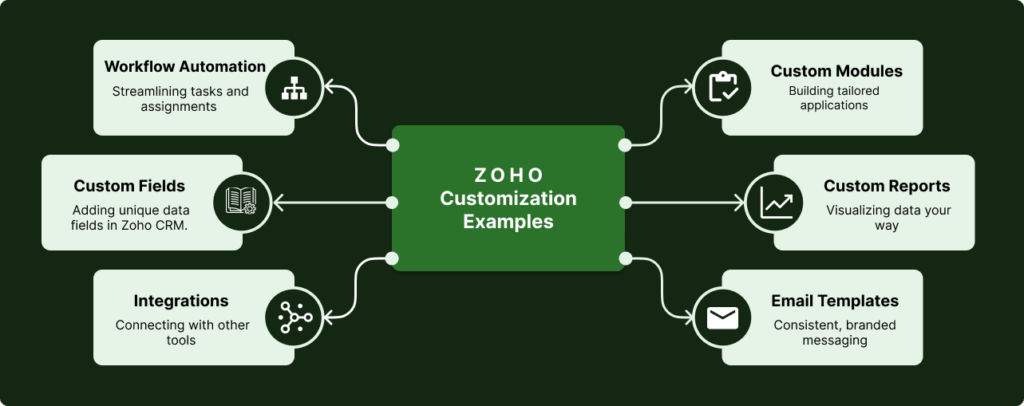
Zoho customization services focus on adapting the CRM to your business, not forcing your business to adapt to the CRM. From custom modules and layouts to advanced scripting with Deluge, customization ensures your system supports your exact processes.
If you need strategy or system planning, see our Zoho consulting services.
Out-of-the-box Zoho fits simple linear pipelines. Standard modules, basic workflows, and default reporting work for straightforward sales processes. Growing companies quickly discover these limitations when operational complexity exceeds platform defaults.
Businesses managing multi-department workflows, complex approval structures, or custom operational logic need structural refinement. Standard configuration can't address cross-module dependencies, conditional automation based on business context, or reporting that aggregates data across multiple dimensions. These requirements demand architectural customization as part of comprehensive Zoho CRM services.
Strategic customization improves system scalability and operational clarity. It transforms Zoho from generic CRM into purpose-built operational platform that enforces process governance, automates complex business logic through advanced automation, and delivers accurate executive visibility. Proper Zoho implementation combined with system integration ensures customizations align with long-term CRM strategy. Understanding customization costs helps organizations budget appropriately.
What Is Zoho Customization?
Zoho customization is the structured modification of CRM architecture, workflows, automation logic, modules, and reporting to align with operational processes.
It encompasses custom module creation, Deluge function development, Blueprint process design, advanced workflow automation, role-based governance, and executive reporting frameworks. Customization extends platform capabilities beyond standard features to address business-specific requirements.
Unlike configuration that uses built-in features, customization involves architectural decisions about data models, automation logic, integration patterns, and governance structures. It requires understanding both technical platform capabilities and operational business context to design solutions that scale.
Professional customization balances flexibility with maintainability. Systems customized without architectural discipline accumulate technical debt through redundant automation, conflicting workflows, and fragmented data models. Structured customization establishes clear patterns that support long-term evolution.
Customization Definition
Zoho customization modifies CRM architecture, workflows, automation, and reporting to align with complex operational processes. It extends platform capabilities beyond standard configuration through structured technical design.
What Can Be Customized in Zoho CRM?
Zoho CRM supports extensive customization across nearly every system component. Understanding what elements can be customized helps organizations identify which modifications deliver the highest operational value.
Modules & Data Structure
- Custom modules for industry-specific entities
- Custom fields (text, number, date, lookup, multi-select)
- Related lists showing connected records
- Subforms for repeating data structures
- Module relationships and lookup fields
Page Layouts & UI
- Custom page layouts per profile or criteria
- Field positioning and section organization
- Custom buttons for specific actions
- Custom links to external resources
- Canvas design for visual record views
Validation & Business Rules
- Validation rules preventing invalid data entry
- Field dependencies showing/hiding fields
- Mandatory field logic based on context
- Record locking after specific stages
- Approval processes with conditional paths
Automation & Functions
- Workflow rules for automated field updates
- Custom functions using Deluge scripting
- Blueprint for stage-based processes
- Scheduled functions for time-based actions
- Webhooks triggering external system events
Nearly every visible element in Zoho CRM can be customized. The platform provides extensive modification capabilities ranging from simple field additions to complex architectural changes involving custom modules, advanced automation logic, and external system integration.
Custom Functions with Deluge
Deluge (Data Enriched Language for the Universal Grid Environment) is Zoho's proprietary scripting language for building custom business logic. It enables organizations to automate complex processes that exceed standard workflow capabilities.
Deluge functions execute server-side, providing secure access to CRM data, external APIs, and third-party services. Unlike client-side JavaScript, Deluge runs within Zoho's infrastructure, ensuring data security and consistent performance regardless of user device or network conditions.
Data Manipulation
Deluge performs calculations, data transformations, and record operations across modules. Functions can create, update, or delete records, perform bulk operations, and manipulate data structures that would require manual effort.
Common use cases include commission calculations, pricing logic based on multiple variables, inventory adjustments, and automated record creation based on business rules.
API Integration
Custom functions make HTTP requests to external systems, enabling real-time data synchronization. Deluge handles authentication, request formatting, error handling, and response parsing for seamless external integration.
Organizations use Deluge to integrate payment processors, shipping carriers, accounting systems, marketing platforms, and industry-specific services. Learn more about Zoho integration services.
Automation Logic
Complex conditional logic executes based on record states, user actions, or time-based triggers. Deluge enables multi-step workflows that standard automation rules cannot handle.
Advanced automation scenarios include escalation logic, territory reassignment based on capacity, contract renewal workflows, and dynamic task assignment.
Extending CRM Capabilities
Deluge builds functionality that doesn't exist in standard Zoho CRM. Custom functions generate PDF documents, send custom notifications, process file uploads, and create sophisticated reporting logic.
Professional Deluge development transforms Zoho from standard CRM into purpose-built operational platform tailored to specific business requirements.
Deluge Capability
Deluge custom functions extend Zoho CRM beyond standard capabilities, enabling complex business logic, external system integration, and automated processes that would otherwise require manual intervention or expensive third-party tools.
Customization vs Configuration in Zoho CRM
Understanding the distinction between configuration and customization helps organizations select appropriate approaches for their requirements and budget technical resources effectively.
Configuration
Standard setup using built-in features. Configuration modifies system behavior through administrative settings without coding or architectural changes.
- Adding standard fields to existing modules
- Creating basic workflow rules
- Setting up email templates and notifications
- Configuring roles and permissions
- Building reports from standard data
- Adjusting page layouts
Best for: Simple processes, small teams, standard sales workflows
Customization
Deep architectural modification using code and advanced features. Customization builds new capabilities that don't exist in standard Zoho CRM.
- Creating custom modules for business entities
- Writing Deluge custom functions
- Building complex Blueprint processes
- Developing API integrations
- Advanced data model architecture
- Custom UI components and buttons
Best for: Complex operations, unique processes, industry-specific needs
Key Principle
Configuration handles 80% of standard business needs. Customization addresses the remaining 20% that drives competitive advantage through unique processes and operational efficiency.
Customization That Enables Integration
Most meaningful integrations require customization to function effectively. While Zoho offers pre-built connectors for common tools, business-specific integration demands custom development to handle unique data structures, transformation logic, and operational workflows.
Effective Zoho integration combines API connectivity with intelligent customization that ensures data flows correctly between systems, maintaining consistency and business rule compliance.
API-Based Customization
Deluge custom functions make REST API calls to external systems, handling authentication, request formatting, and error management. This enables real-time bidirectional data flow between Zoho CRM and business-critical applications.
Organizations customize API integrations for accounting systems, ERP platforms, marketing automation, e-commerce stores, and industry-specific software that lacks native Zoho connectors.
Field Mapping Logic
Custom functions transform data structures between systems. Field mapping logic handles naming differences, data type conversions, value transformations, and conditional mapping based on business context.
Professional field mapping ensures data integrity during synchronization, preventing errors from incompatible formats, missing required fields, or invalid value transformations.
Data Transformation
External systems rarely match Zoho's data model exactly. Custom transformation logic aggregates data, applies business rules, enriches records with calculated fields, and formats information for proper consumption.
Transformation customization handles currency conversion, address standardization, name formatting, date/time zone adjustments, and complex calculations required for accurate cross-system reporting.
Middleware Logic
Complex integrations require orchestration logic coordinating multiple systems. Custom middleware functions manage transaction sequences, handle failures gracefully, implement retry logic, and maintain audit trails.
Middleware customization enables sophisticated workflows like order processing across CRM, inventory, shipping, and accounting systems with proper error handling and rollback capabilities.
Integration Requirement
Pre-built connectors handle simple data sync. Business-critical integration requires customization for field mapping, data transformation, error handling, and business logic enforcement across connected systems.
Common Zoho Customization Use Cases
Real-world customization projects address specific operational challenges. These use cases demonstrate how organizations leverage Zoho customization to solve complex business problems that standard configuration cannot handle.
Custom Sales Pipelines
Challenge: Standard deal stages don't match complex B2B sales processes involving multiple decision-makers, technical evaluations, and custom approval workflows.
Customization: Custom modules track evaluation committees, technical requirements, and stakeholder engagement. Blueprint enforces stage-specific requirements. Custom functions calculate deal scoring based on engagement metrics, company size, and technical fit.
Industry-Specific Modules
Challenge: Manufacturing, healthcare, financial services, and other industries require data structures that don't exist in standard CRM modules.
Customization: Custom modules for equipment tracking, patient records, compliance documentation, project milestones, or subscription billing. Industry-specific fields, relationships, and workflows enforce operational requirements.
Advanced Reporting Structures
Challenge: Executive reporting requires data aggregation across modules, custom calculations, and metrics not available in standard reports.
Customization: Custom functions aggregate data from multiple sources, perform complex calculations (lifetime value, churn prediction, sales velocity), and populate summary records. Custom dashboards display business-specific KPIs with drill-down capabilities.
Custom Approval Logic
Challenge: Approval processes vary by deal size, region, customer type, and organizational hierarchy beyond simple linear approval chains.
Customization: Blueprint configurations with conditional paths routing approvals based on business context. Custom functions notify appropriate approvers, enforce SLAs, escalate delayed approvals, and maintain audit trails of approval decisions.
UI/UX Improvements
Challenge: Sales teams need quick access to specific actions, external resources, and contextual information not available in standard interface.
Customization: Custom buttons trigger specific workflows, custom links access external tools with record context, Canvas layouts present data visually, and custom widgets display real-time information from integrated systems.
Complex Data Relationships
Challenge: Business operations involve many-to-many relationships, hierarchical structures, and data dependencies that standard modules don't support.
Customization: Custom modules with lookup fields, related lists, and junction tables model complex relationships. Custom functions maintain data consistency across related records, cascade updates, and enforce referential integrity.
Use Case Pattern
Effective customization solves specific operational problems. Each use case combines multiple customization types—modules, fields, automation, functions, UI—working together to support unique business processes.
When Do Businesses Need Advanced Customization?
Standard Zoho configuration serves most small businesses. Advanced customization becomes necessary when operational complexity exceeds platform defaults:
-
Multi-department workflows: Sales, operations, finance, and support need coordinated processes that standard modules can't support. Custom workflows route records across departments with conditional logic based on business context.
-
Complex approval structures: Dynamic approval routing based on deal size, customer tier, product type, or regional requirements requires Blueprint customization with conditional paths and escalation logic.
-
Custom modules required: Industry-specific data structures like projects, assets, subscriptions, or service tickets need custom modules with relationships that standard Zoho modules don't provide.
-
Integration-based automation: Business processes spanning multiple systems require custom functions that orchestrate data synchronization, trigger external workflows, and maintain consistency across platforms.
-
Inaccurate reporting: Standard reports can't aggregate data across custom modules, apply complex calculations, or present metrics that reflect actual business performance. Custom reporting frameworks solve visibility gaps.
-
Rapid scaling: High-growth companies outpace basic configuration. Customization establishes scalable architecture that accommodates increasing users, data volume, and process complexity without performance degradation.
What Can Be Customized in Zoho CRM?
Custom Modules & Data Architecture
Custom modules create business-specific data structures beyond standard leads, contacts, and deals. Industries require project tracking, asset management, subscription billing, or service delivery modules with unique fields and relationships.
Data architecture customization defines how modules relate, what lookup fields connect records, and how data flows through system lifecycle. Poor architecture creates fragmented data; proper design enables unified operational visibility across all business dimensions.
Advanced Workflow Automation
Workflow rules automate field updates, notifications, task creation, and record actions based on conditional logic. Advanced workflows chain multiple actions, handle time-based triggers, and execute complex business rules without manual intervention.
Custom automation reduces manual work, enforces data consistency, and ensures process compliance. Organizations automate lead routing, opportunity progression, contract renewal, customer onboarding, and operational handoffs between departments. Learn more about comprehensive Zoho automation services.
Blueprint & Process Control
Blueprint enforces stage-based processes with required fields, conditional transitions, and approval gates. It prevents records from advancing until business requirements are met, ensuring process governance across teams.
Complex Blueprint configurations handle multi-path workflows where progression depends on deal type, customer tier, or regional requirements. Organizations use Blueprint to standardize sales methodologies, service delivery processes, and compliance procedures.
Custom Functions (Deluge)
Deluge custom functions execute business logic that exceeds workflow capabilities. They perform calculations, manipulate data across modules, integrate with external APIs, and orchestrate complex operational sequences.
Professional Deluge development handles commission calculations, pricing logic, inventory updates, external system synchronization, and automated reporting. Well-written functions maintain performance while executing sophisticated business rules. Complex integrations often require custom function development—see our Zoho integration services for details.
Role-Based Access & Governance
Custom role hierarchies control data visibility, field editability, and action permissions based on organizational structure. Governance models ensure users access only data relevant to their responsibilities.
Advanced permission frameworks protect sensitive customer data, financial information, and strategic deals. Organizations customize sharing rules, territory management, and approval chains to match operational governance requirements.
Executive Reporting Framework
Custom reports and dashboards aggregate data across modules, apply business-specific calculations, and present metrics that reflect actual operational performance. Standard reports lack flexibility for complex business intelligence.
Professional reporting frameworks combine CRM data with external sources, calculate custom KPIs, and deliver executive visibility into pipeline health, revenue forecasting, operational efficiency, and team performance.
Customization vs Implementation
Implementation and customization address different phases of CRM deployment. Understanding the distinction helps organizations plan appropriately.
Implementation
- Initial system deployment
- Standard module configuration
- Basic workflow setup
- User provisioning and training
- Initial data import
Customization
- System refinement for complexity
- Custom module development
- Advanced automation and Deluge functions
- Complex integration development
- Executive reporting frameworks
Implementation deploys Zoho using standard configuration. Customization refines deployed systems to handle operational complexity beyond platform defaults. Organizations often implement first, then customize as business requirements evolve.
Key Distinction
Implementation establishes baseline CRM deployment. Customization extends platform capabilities to address complex business operations that exceed standard configuration. Both require technical expertise; customization demands deeper architectural design.
Risks of Poor Customization
Customization without architectural discipline creates long-term technical debt. Common problems follow predictable patterns:
-
Automation conflicts: Multiple workflows triggering on same events create race conditions, duplicate actions, or infinite loops. Poor automation design undermines data consistency and system reliability.
-
Data fragmentation: Custom modules without proper relationships isolate data across system. Users can't access complete customer context, reporting becomes impossible, and operational visibility disappears.
-
Performance issues: Inefficient Deluge functions, excessive workflow triggers, or unoptimized queries degrade system responsiveness. Users experience delays, timeouts, and productivity loss.
-
Reporting inconsistencies: Custom fields without governance standards produce inconsistent data. Reports show conflicting metrics, executives lose trust in system accuracy, and decision-making suffers.
-
Technical debt accumulation: Undocumented customization, redundant automation, and ad-hoc solutions compound over time. System becomes unmaintainable, changes become risky, and businesses face expensive rebuilds.
Professional customization prevents these problems through proper architectural planning, documentation standards, and performance testing. Prevention costs less than remediation when technical debt becomes embedded in production systems.
Structured Customization Process
System Audit
Document existing configuration, identify automation conflicts, assess data quality, and understand current limitations. Audit reveals technical debt, customization gaps, and opportunities for architectural improvement.
Architecture Review
Design custom module structures, define data relationships, plan automation hierarchy, and establish governance models. Strategic consulting during architecture phase prevents structural problems that create future technical debt.
Automation Design
Build workflows, develop Deluge functions, configure Blueprint processes, and establish integration logic. Automation design balances comprehensive business rule coverage with system performance and maintainability.
Testing & Validation
Verify automation behavior, validate data integrity, test performance under load, and confirm reporting accuracy. Comprehensive testing prevents production issues and ensures customization delivers expected business value.
Performance Optimization
Monitor system responsiveness, optimize slow functions, refine automation triggers, and tune database queries. Ongoing optimization ensures customization maintains performance as data volume and user activity increase.
Customization Process
Successful customization follows structured approach: audit existing system, design scalable architecture, build automation logic, validate comprehensively, and optimize performance. Each phase ensures technical quality.
Customization and Long-Term CRM ROI
Strategic customization delivers operational advantages that compound over time. Well-designed systems support business growth without requiring expensive rebuilds.
Better Reporting
Custom reporting frameworks aggregate data across modules, calculate business-specific KPIs, and deliver executive visibility into actual operational performance. Accurate reporting enables data-driven decisions and strategic planning.
Improved Efficiency
Advanced automation eliminates manual work, enforces process compliance, and reduces operational overhead. Teams focus on high-value activities while system handles routine tasks, approval routing, and data synchronization.
Reduced Manual Work
Custom workflows automate cross-department handoffs, trigger notifications, update records, and maintain data consistency without user intervention. Automation scales operations without proportional headcount growth.
Clean Governance Model
Role-based permissions, approval hierarchies, and process enforcement through Blueprint establish operational discipline. Governance models prevent errors, ensure compliance, and maximize long-term ROI from CRM investment.
Customization Value
Professional customization creates long-term value through improved reporting accuracy, operational efficiency, reduced manual work, and governance models that support sustainable business growth.
When Do You Need Zoho Customization?
Standard Zoho configuration works initially, but specific operational signals indicate when customization becomes necessary. Recognizing these indicators helps organizations avoid inefficiency from forcing complex processes into simple tools.
CRM Doesn't Match Your Workflow
Teams create manual workarounds because standard modules don't support actual operational processes. Sales reps maintain external spreadsheets for data the CRM can't track. Processes require jumping between multiple screens for single tasks.
Indicator: Users complain the system "doesn't work how we work" or resist using CRM because it slows them down rather than accelerating operations.
Too Many Manual Workarounds
Staff spend significant time on manual data entry, copying information between modules, or performing repetitive tasks the system should automate. Important processes depend on individuals remembering steps rather than system enforcement.
Indicator: Operational efficiency decreases as team size grows because manual processes don't scale. New employees require extensive training on undocumented workarounds.
Data Structure Issues
Standard modules don't represent critical business entities. Relationships between records require tracking outside the CRM. Important business data has no appropriate place to live within standard structure.
Indicator: Teams maintain parallel systems (spreadsheets, databases) because Zoho can't properly model their operational reality. Data inconsistency emerges from disconnected sources.
Reporting Limitations
Critical business metrics require manual calculation from exported data. Executive dashboards can't display necessary KPIs. Cross-module reporting needs custom aggregation that standard reports don't support.
Indicator: Finance, operations, or executive teams don't trust CRM data because it doesn't provide accurate business visibility. Decisions rely on manual reports instead of system insights.
Scaling Complexity
Growth introduces operational complexity that standard configuration can't handle: multiple departments with different processes, regional variations, product complexity, or compliance requirements that demand sophisticated automation.
Indicator: The system that worked for 5 users breaks down at 20+ users. Department-specific needs conflict with single standardized configuration.
Integration Requirements
Business-critical systems need bidirectional data flow with Zoho. Pre-built connectors don't exist for necessary tools. Data transformation logic requires custom development to maintain consistency across platforms.
Indicator: Teams manually sync data between systems or accept data inconsistency because proper integration requires customization beyond standard capabilities.
Decision Signal
When workarounds consume more time than processes, when data accuracy becomes questionable, or when the system inhibits rather than enables operations—these signals indicate customization delivers higher ROI than continuing with inadequate configuration.
What Happens Without Proper Customization?
Organizations attempting to force complex operations into simple CRM configuration encounter predictable failure patterns. Understanding these risks helps quantify the cost of inadequate system design.
Poor User Adoption
Consequence: Sales teams abandon the CRM for spreadsheets and email because the system creates friction rather than supporting their workflow. Data quality degrades as users enter minimal required information.
Business impact: Incomplete customer data, lost sales opportunities from poor visibility, management making decisions without accurate operational insight. CRM investment delivers zero ROI when adoption fails.
Broken Processes
Consequence: Critical steps get skipped because the system doesn't enforce proper workflow. Manual handoffs between departments create delays and errors. Process compliance becomes impossible to verify.
Business impact: Customer commitments missed, regulatory compliance risks, operational inefficiency from process failures, inability to scale operations systematically.
Inaccurate Data
Consequence: Data maintained across multiple systems creates conflicts and inconsistencies. Manual entry errors proliferate without validation rules. Reporting becomes unreliable because source data quality degrades.
Business impact: Wrong decisions based on inaccurate data, customer service failures from incomplete information, financial reporting risks, lost trust in system-generated insights.
Limited Scalability
Consequence: Manual processes that worked for small teams collapse under growth. Organizational complexity exceeds system capabilities. Adding users creates chaos instead of increased capacity.
Business impact: Growth constrained by operational limitations, excessive hiring to manage manual workarounds, competitive disadvantage from inefficient operations. Learn more about CRM ROI factors.
Inefficient Workflows
Consequence: Staff spend hours on repetitive manual tasks that proper automation would eliminate. Information flows through email and meetings instead of system-driven processes. Bottlenecks emerge from manual handoffs.
Business impact: High operational costs from wasted labor, slower response times affecting customer satisfaction, inability to compete against more efficient competitors, employee frustration reducing retention.
Cost of Inadequate Systems
The cost of poor customization isn't the money spent—it's the ongoing operational inefficiency, lost revenue from poor processes, competitive disadvantage, and employee frustration that accumulates month after month until the system gets properly fixed.
What Customization Should Deliver
Professional customization produces measurable operational improvements. Organizations should expect specific outcomes that justify investment through efficiency gains, improved accuracy, and scalable operations.
CRM Aligned to Business Processes
System matches operational reality instead of forcing processes into generic templates. Users complete tasks faster because workflows support how teams actually work. Process enforcement happens automatically through system design.
Measurable outcome: Reduced time-to-complete for standard processes, elimination of manual workarounds, increased user satisfaction scores, consistent process compliance without additional oversight.
Improved Usability
Custom interfaces present relevant information clearly. Automation eliminates repetitive data entry. Contextual buttons trigger appropriate actions. Users accomplish goals with fewer clicks and less cognitive load.
Measurable outcome: Higher user adoption rates, reduced training time for new employees, fewer support tickets about system confusion, increased data entry completion rates.
Accurate Reporting
Business metrics calculate automatically from system data. Executive dashboards display actionable KPIs without manual aggregation. Cross-module reporting provides comprehensive operational visibility. Data quality improves through validation enforcement.
Measurable outcome: Decisions based on real-time data instead of outdated reports, faster identification of operational issues, increased confidence in system-generated insights. Understand CRM ROI impact.
Scalable Architecture
System handles increased complexity without performance degradation. Adding users, products, regions, or departments doesn't require rebuilding core architecture. Processes scale systematically rather than linearly with headcount.
Measurable outcome: Revenue per employee increases as operations become more efficient, ability to handle growth without proportional operational cost increase, reduced time-to-productivity for new team members.
Seamless Automation Support
Custom architecture enables sophisticated automation workflows that eliminate manual intervention. Business rules execute consistently without human oversight. Systems communicate bidirectionally without data fragmentation.
Measurable outcome: Reduced operational costs from automation, faster process completion times, elimination of errors from manual handoffs, ability to scale without proportional staffing increases.
Long-Term Maintainability
Well-documented customization enables future modifications without system rebuilds. Changes accommodate business evolution without breaking existing functionality. Clear architecture patterns prevent technical debt accumulation.
Measurable outcome: Lower long-term IT costs, faster implementation of new requirements, reduced risk from system changes, ability to support business pivots without complete CRM replacement.
Expected Results
Professional customization should produce measurable improvements in operational efficiency, user satisfaction, data accuracy, and scalability. If customization doesn't deliver quantifiable business value, it wasn't properly designed or implemented.
Frequently Asked Questions
How much can Zoho CRM be customized?
Zoho CRM supports extensive customization including unlimited custom modules, fields, workflows, and automation rules. Complex business logic executes through Deluge custom functions, advanced Blueprint configurations, and API integrations. The platform scales from simple field additions to enterprise-grade architectures without performance degradation when properly designed.
Is customization different from configuration?
Yes. Configuration uses built-in Zoho features like standard modules, field creation, and basic workflows without coding. Customization involves architectural modification through custom modules, Deluge scripting, complex automation logic, and integration development. Configuration handles simple needs; customization addresses complex operational requirements that exceed standard capabilities.
Can poorly customized Zoho systems be fixed?
Yes, but correction requires systematic audit and redesign. Poorly customized systems accumulate technical debt through redundant automation, fragmented data models, and performance problems. Remediation involves documenting existing customization, identifying structural issues, redesigning architecture, and migrating to cleaner implementation. Prevention through proper initial design costs less than later correction.
Will customization affect system speed?
Only when poorly designed. Well-architected customization maintains performance through efficient Deluge code, optimized workflow logic, and proper data indexing. Performance degradation occurs from excessive automation triggers, inefficient custom functions, or poorly structured queries. Professional customization includes performance testing and optimization to ensure system responsiveness.
Do small businesses need advanced customization?
Not initially. Small businesses typically succeed with standard configuration until operational complexity requires custom solutions. Advanced customization becomes valuable when managing multi-department workflows, complex approval processes, custom reporting needs, or industry-specific requirements that exceed standard Zoho capabilities. Growth stage determines customization necessity.
Need a CRM Built Around Your Business?
Get a customization plan designed around your workflows, systems, and growth requirements.
Custom modules · Deluge functions · Blueprint processes · API integrations