Migrate to Zoho

Migrate to Zoho With Less Risk and Better Long-Term System Design

Boosted CRM helps businesses migrate CRM, finance, support, and operations systems into Zoho with structured planning, data cleanup, workflow continuity, integration-aware execution, and post-go-live support.

CRM Migration Data Cleanup Workflow Migration Integration Continuity Testing & Validation Go-Live Support
What Migration Involves

What It Really Means to Migrate to Zoho

Moving to Zoho is not a file transfer. It's the structured transition of your business data, operational workflows, integrations, and team processes from an existing system into Zoho's platform. Every phase matters, because problems not addressed before import become problems in a live system that are significantly harder to fix.

The data that migrates into Zoho becomes the foundation for every report, automation, and workflow built on top of it. Duplicate records, broken field mappings, and untested workflows don't disappear — they carry over and compound after go-live, eroding trust in a system teams were just asked to adopt.

A structured migration to Zoho covers discovery and scoping, data cleanup, field and architecture mapping, workflow rebuilding, integration reconfiguration, testing and validation, user onboarding, and post-launch optimization. Not as optional extras — as sequential gates that reduce the risk of the next phase.

If you're building a new Zoho deployment from scratch without existing data to move, see Zoho CRM implementation instead. For strategic planning before starting, see Zoho consulting.

Migration covers

Data extraction and quality review
Cleanup, deduplication, and normalization
Field and module mapping to Zoho's architecture
Workflow and automation continuity
Integration review and reconfiguration
Testing, validation, and UAT
User onboarding and go-live support
Why Businesses Move

Why Businesses Migrate to Zoho

The reasons teams move to Zoho vary, but the outcomes they're looking for are consistent: better data, better automation, better visibility, and less ongoing system friction.

Simplify Your Tech Stack

Zoho One bundles CRM, finance, support, marketing, projects, and analytics in a single ecosystem. Teams that consolidate on Zoho reduce tool sprawl, sync complexity, and per-seat licensing cost.

Improve Customization and Flexibility

Zoho CRM's module structure, custom fields, page layouts, and Blueprint process designer give operations and RevOps teams the ability to configure the system to match how the business actually works.

Build Better Automation

Zoho's workflow rules, Blueprint process flows, and Deluge scripting enable automation that legacy CRMs or simpler tools can't support. Migration is the right time to upgrade, not just replicate.

Create Stronger Reporting

Zoho Analytics and CRM's native reporting engine support dashboards, custom reports, and cross-module analytics that outperform most source systems — provided the underlying data is clean.

Support Scalable Operations

Zoho's module ecosystem scales from a 5-person sales team to a 500-person multi-product organization without requiring a platform migration at growth inflection points.

Reduce Long-Term System Friction

Properly migrated systems with clean data, well-designed workflows, and connected integrations require significantly less ongoing maintenance than systems that were rushed through a shallow import.

How We Help

What Boosted CRM Helps With When You Migrate to Zoho

We handle the work that determines whether a migration succeeds: data readiness, workflow continuity, integration reliability, and user confidence at go-live.

Smooth Migration Planning

Scope the migration before starting. Identify what moves, what gets archived, what needs rebuilding, and what dependencies must be addressed before the first record imports.

Data Security and Integrity

Pre-migration backups, staged imports with validation checkpoints, and reconciliation checks at each phase ensure no data is lost during the transition.

Sandbox and Test Environment Validation

Run imports and workflow tests in a sandbox environment before any changes reach the live system. Catch issues before users encounter them.

Expert Training and Onboarding

Role-specific training, documentation, and guided onboarding help teams adopt Zoho effectively after go-live, not just technically complete the transition.

Workflow and Customization Alignment

Existing automations, approval processes, and custom configurations are documented and rebuilt in Zoho's architecture — not just assumed to carry over.

Ongoing Post-Migration Support

Post-launch optimization, issue resolution, workflow refinement, and adoption support keep the system performing after the initial migration project closes.

What Goes Wrong

Migrate to Zoho Without Common Mistakes

Poor data quality before import

Migrating dirty data — duplicates, broken relationships, missing required fields — creates a system that looks populated but behaves incorrectly from day one.

Data cleanup before migration

Broken field mapping

Fields that don't map cleanly between source and destination result in values placed in wrong fields, truncated data, or missing information users expect to see.

Workflows not rebuilt or tested

Automation that existed in the source system doesn't transfer automatically. Workflows must be documented, rebuilt in Zoho, and tested before go-live.

Testing and validation guide

Integrations assumed to carry over

Every connected system must be explicitly reconfigured for Zoho. Web forms, accounting platforms, ERP systems, and support tools all require retesting before go-live.

Reporting not validated before launch

Teams that don't rebuild and validate dashboards before go-live hand leadership inaccurate pipeline and revenue visibility from the first day.

Rushed cutover with no parallel period

Hard cutovers without adequate parallel operation or rollback planning create single points of failure. Migration pressure often causes teams to skip validation steps.

Zoho migration risk guide
How to Do It Better

How to Plan a Better Move to Zoho

01

Discovery and Scope

Audit the source system, document modules and custom fields, inventory integrations, and define what moves, what gets archived, and what needs rebuilding.

Zoho migration services
02

Data Cleanup and Mapping

Clean duplicates, fill missing required fields, standardize formats, and map source fields to Zoho's destination structure before any import begins.

Data cleanup guide
03

Workflow and Integration Planning

Document existing automation logic, rebuild workflows in Zoho's Blueprint and rules engine, and plan integration reconfiguration for every connected system.

Zoho automation
04

Testing and Validation

Validate record counts, test every automation with test records, confirm report accuracy, run integration smoke tests, and complete user acceptance testing.

Testing and validation guide
05

User Training and Readiness

Role-specific training, layout walkthroughs, and user acceptance sessions before the team is asked to work in the new system.

06

Go-Live and Optimization

Cutover execution, post-launch monitoring, adoption support, and workflow refinement based on real usage. Migration doesn't end at import.

Zoho migration checklist
Proof and Credentials

Zoho Premier Partner. Experienced Migration Team.

Boosted CRM holds active Zoho certifications across CRM, Creator, and Finance. Our team has completed migrations across CRM, ERP, support, and project platforms.

FAQ

Migrate to Zoho: Common Questions

What does it mean to migrate to Zoho? +

Migrating to Zoho means transferring your existing data, workflows, automations, and integrations from a current system — CRM, finance, help desk, or project tool — into the Zoho platform. It includes data extraction, cleanup, field mapping, workflow rebuilding, integration reconfiguration, testing, and go-live support. It's not a simple import — it's a structured transition that preserves what matters and improves what was broken.

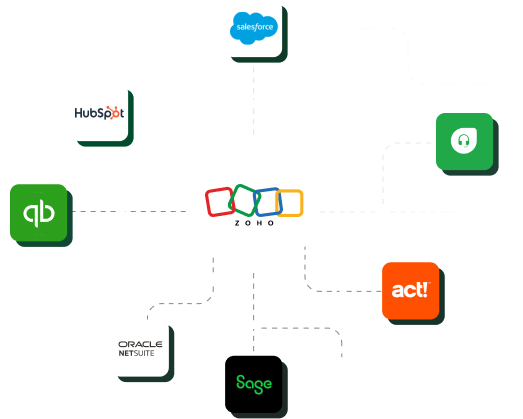
Can I migrate from Salesforce, HubSpot, or Pipedrive to Zoho? +

Yes. Salesforce, HubSpot, and Pipedrive are among the most common source systems for Zoho CRM migrations. Each has distinct data structures, automation models, and field naming conventions that require specific mapping and rebuild work in Zoho. Platform-specific guides exist for each migration path.

Can I migrate accounting or support data into Zoho? +

Yes. Zoho Books supports migrations from QuickBooks, Xero, NetSuite, Sage, and Epicor. Zoho Desk supports migrations from Freshdesk and other help desk platforms. Each migration type has specific data considerations — open transactions, fiscal cutoff periods, ticket history windows — that must be addressed during planning.

How long does it take to migrate to Zoho? +

Migration timelines depend on data volume, source system complexity, data quality, and the number of integrations in scope. Simple migrations with clean data typically take 3–5 weeks. Mid-complexity migrations with data cleanup and automation rebuilding commonly run 6–10 weeks. Enterprise or multi-system migrations can extend to 12 weeks or more.

What should be cleaned before migrating to Zoho? +

The highest-priority cleanup tasks are: deduplicating contacts, accounts, and leads; archiving inactive records outside your migration window; standardizing picklist values; filling missing required fields; fixing phone and email formatting; and verifying account–contact relationships.

Do workflows and integrations migrate to Zoho automatically? +

No. Workflow automation must be rebuilt in Zoho's workflow engine and Blueprint. Integrations must be explicitly reconfigured for Zoho — they don't carry over from the previous system. Both automation rebuilding and integration reconfiguration should be tested before go-live.

How do you reduce risk when migrating to Zoho? +

The most effective steps are: auditing and cleaning source data before migration, designing the Zoho architecture for your actual needs rather than copying legacy structure, importing in staged passes with validation checkpoints, testing every automation and integration before go-live, and running user acceptance testing before handing the system to the full team.

Start the Conversation

Planning a Move to Zoho?

Talk to Boosted CRM about your current systems, data complexity, workflows, integrations, and migration goals.