Seamlessly connect Zoho CRM/QuickBooks to streamline your accounting and sales processes. Our tailored integration solution significantly enhances productivity, reduces manual data entry, eliminates errors, and ensures consistent data across both platforms.


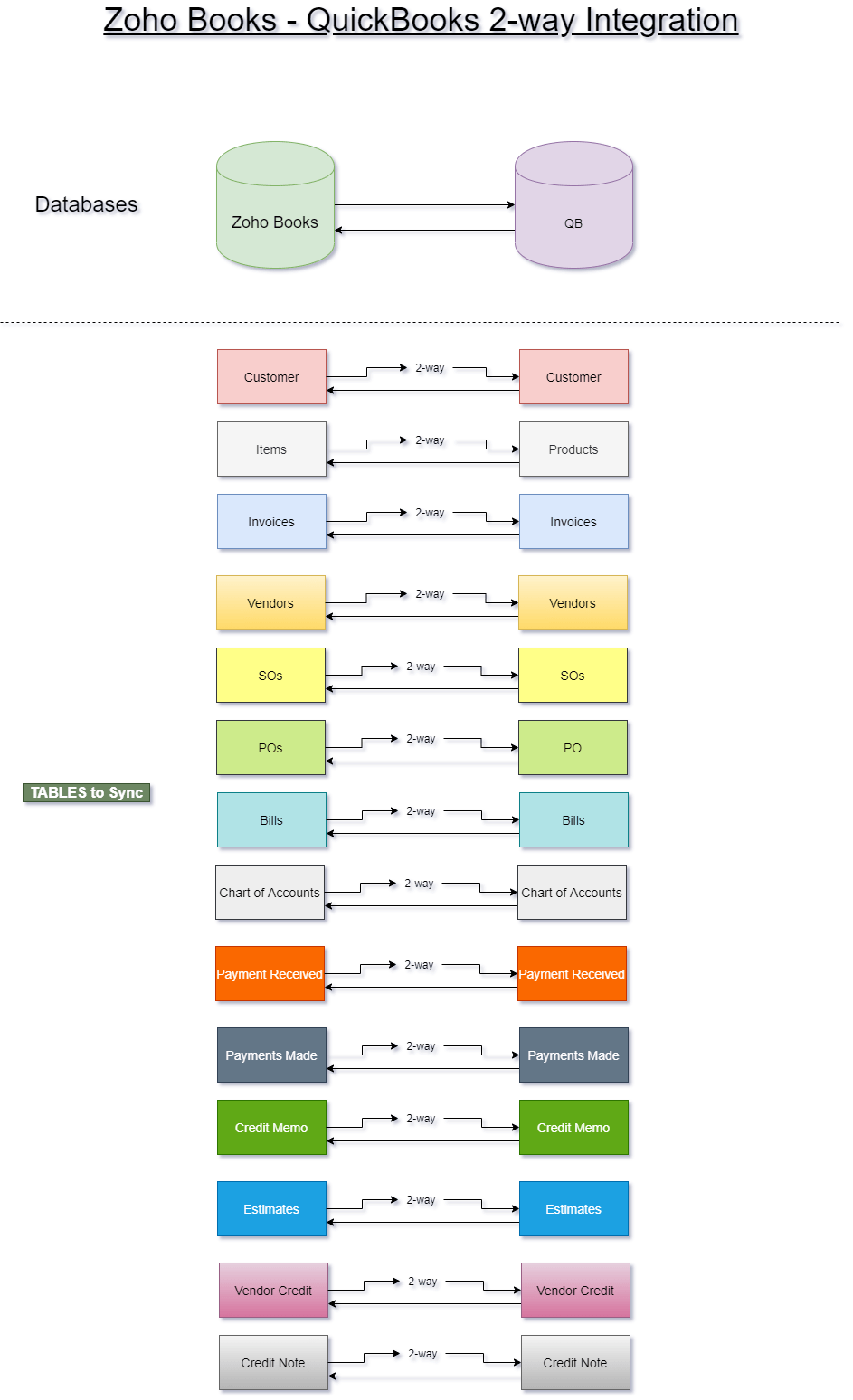
Boosted CRM offers an efficient and reliable .NET-based Zoho QuickBooks Integration solution for seamless 2-way synchronization of records between both systems. Our integration allows clients to send Customers, Quotes, Invoices, and Sales Orders from Zoho CRM or Zoho Books to QuickBooks Enterprise with ease. In addition, contacts, vendors, and bills can also be synced and managed between Zoho and QuickBooks, ensuring that all critical business data remains accurate and up to date. Bills can be created, updated,
Contact and vendor details can be imported from QuickBooks Online to Zoho Inventory during the synchronization process to ensure data consistency. You can create new invoices, new credit notes, and bills directly from Zoho and have them reflected in QuickBooks automatically. Bills created in Zoho People can be sent directly to QuickBooks as Invoices, further streamlining financial processes. By linking these powerful systems, your business can leverage real-time data synchronization, boosting overall operational efficiency.
If your sales team generates estimates, invoices, or sales orders directly within Zoho CRM, our integration effortlessly syncs these records to QuickBooks, simplifying accounting and reducing manual entry. This scenario represents a 1-way integration.
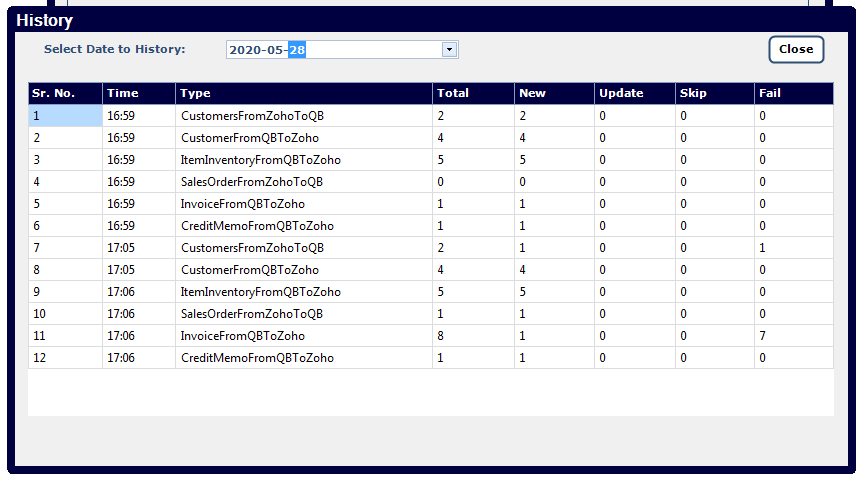
However, many businesses require more dynamic interaction between both platforms, making Zoho QuickBooks Integration essential. For example, tracking the payment status of invoices or receiving real-time updates of item inventory back into Zoho CRM is crucial. These scenarios demand a robust 2-way integration that ensures both systems stay updated with accurate, synchronized information.
Updates to contacts, vendors, and employees—including their address details—are automatically reflected in both systems for seamless data consistency. You can also identify and mark the primary contact person for a company within your organization. Data mistakes in one system will replicate in the other, so it is crucial to clean and standardize your data before integration to avoid potential issues.
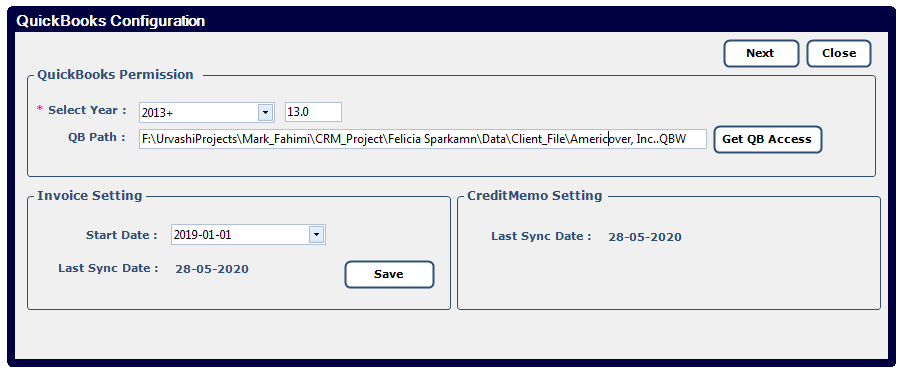
We utilize cutting-edge Windows .NET technology to develop a customized Windows application tailored specifically for your business needs. This lightweight yet powerful application is directly uploaded to your QuickBooks server, allowing secure, seamless synchronization between Zoho CRM and QuickBooks.
QuickBooks Desktop often requires middleware or a local connector for integration, unlike QuickBooks Online, which simplifies the process. You can connect QuickBooks and Zoho Books using various triggers and actions. The solution can also be integrated with other apps and no-code tools to further automate workflows and integrate QuickBooks with additional services.
Key features of our solution include:
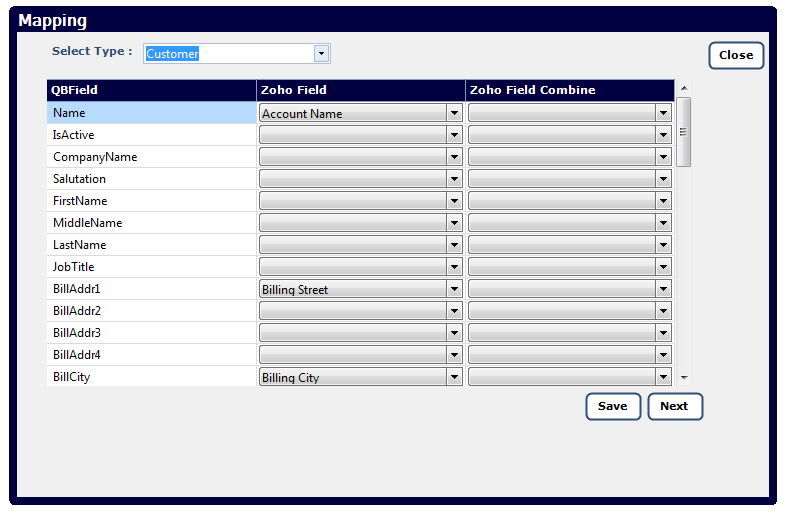
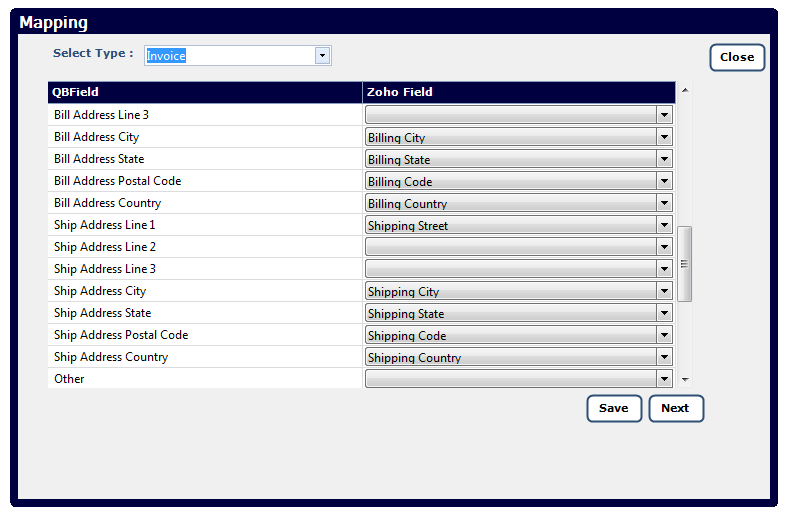
Precisely select which modules and fields you want synchronized between Zoho CRM and QuickBooks, adapting the integration specifically to match your workflows and processes.
Benefit from our one-time setup fee with no recurring monthly charges. This makes our integration solution highly cost-effective and an excellent investment for long-term business efficiency.
By utilizing Zoho API V2.0, our integration significantly improves synchronization speeds and reliability, surpassing older integration methods. This results in faster data transfers and seamless performance.
Automation dramatically reduces manual entry errors and ensures the consistency and integrity of data across both platforms. This reliability empowers your teams to make accurate, data-driven decisions.
Our highly skilled professionals handle seamless integration and implementation, ensuring minimal business disruption.
We provide dedicated, responsive support post-integration, promptly addressing any queries or future customization requests, guaranteeing your continuous satisfaction.
For more details on Zoho’s integration capabilities, visit the Zoho Integration Documentation.
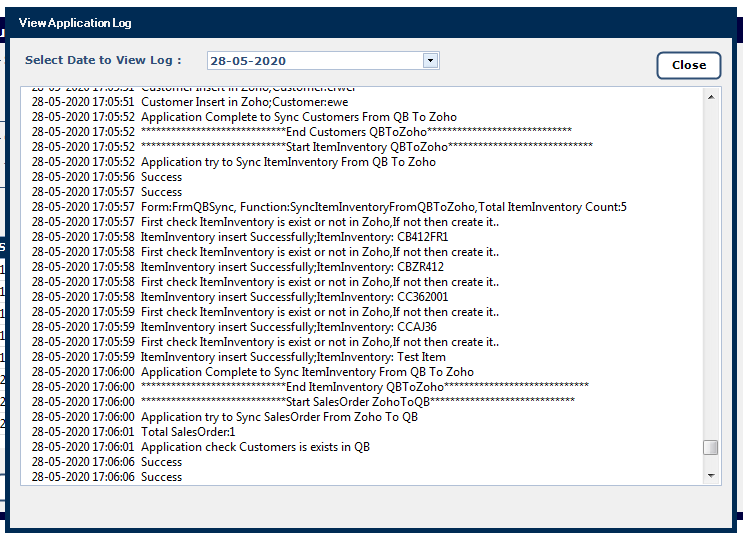
This integration connects Zoho CRM (or Zoho Books) with QuickBooks (Desktop or Online) so that data such as customers, quotes, invoices, sales orders, inventory and payments can be synchronized between the two platforms. It supports both one-way and two-way syncing depending on your business needs.
One-way sync: e.g., your sales team generates invoices or orders in Zoho CRM (or Zoho Books) and the integration sends those records into QuickBooks.
Two-way sync: e.g., you track payment statuses or inventory updates in QuickBooks and have them reflected back into Zoho.
You can choose which modules and fields to sync (customizable).
They use a custom Windows .NET application which is installed on your QuickBooks server (for desktop version) to handle sync logic and communicate with the Zoho API (v2.0) for high performance.
Key benefits include:
Reduced manual data entry and errors, by automating the flow of records.
Data consistency across your sales/CRM system and accounting system.
Customizable synchronization so you only sync what matters for your business process.
Cost-effective model: a one-time setup fee rather than recurring monthly charges (per the offering) for this solution.
Some of the typical modules mentioned: Customers, Quotes, Invoices, Sales Orders, Items/inventory.
Because the solution is customizable, you can discuss additional modules during setup.
According to the page, no recurring monthly fee is required for their integration: it’s described as a “one-time setup fee”.
However, you will still need to maintain your Zoho and QuickBooks subscriptions separately (those are separate products).
The page mentions QuickBooks Desktop as well as QuickBooks (Enterprise) scenarios.
If you use QuickBooks Online, you should check with Boosted CRM to confirm compatibility and any specific differences.
From the description: You’ll need a Windows server (for the .NET application) where QuickBooks is installed/accessible. Also you’ll need API access/configuration on the Zoho side (their Zoho API v2.0).
Also it is implied that you should have administrative rights in both systems, proper licensing, and ensure the real-time sync environment is ready. (While not explicitly detailed on the page, best practice is to ensure no duplicate or corrupted data exists before sync.)
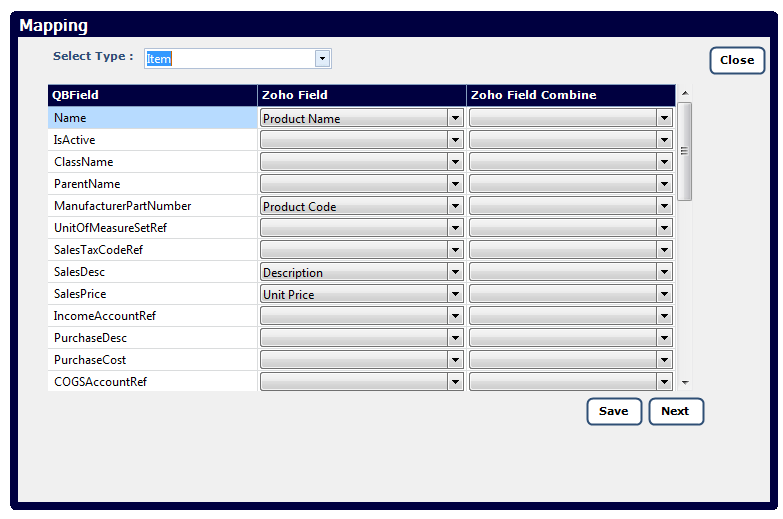
The integration is customizable: you can select which modules and fields you want to sync and how they map between Zoho and QuickBooks.
During setup you will define your field mappings, decide direction (one-way vs two-way) and specify any special workflows.
The page emphasises enhanced data accuracy and consistency through automation.
While specifics aren’t given, you should expect the implementation process to include error-handling rules, duplicate record checks, and validation. It’s advisable to ask Boosted CRM for their standard error-handling procedures and rollback mechanisms.
Connect Zoho CRM with QuickBooks in just a few clicks and watch your workflow transform.